Instrument X can be used as a standalone application or as a plugin.
Set up audio input and output settings for each environment.
¶ Standalone Setup
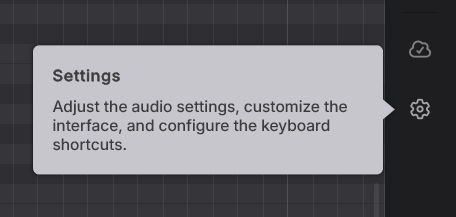
- Open Settings from the sidebar.
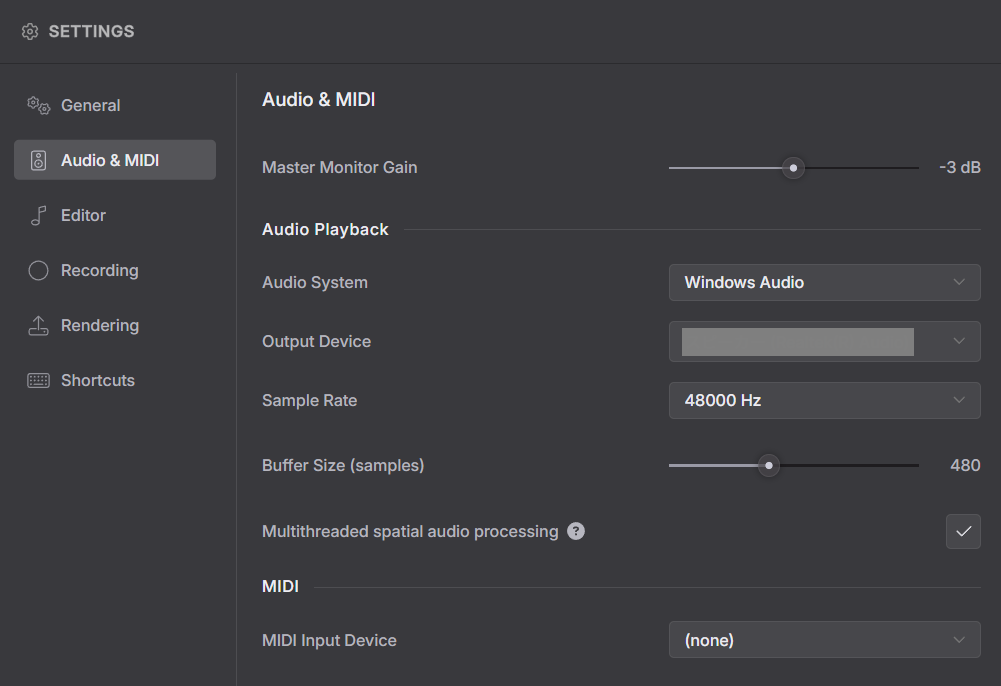
- In the Audio & MIDI section, select the audio device you want to use for playback.
If you have a MIDI device connected, select it as well.
¶ Plugin Setup
The plugin version is compatible with VST3, AudioUnit, and AAX formats and can be used in supported DAWs.
Instrument X plugins can be used in three ways:
- Inserting the Instrument plugin into a DAW track.
- Setting up both the Instrument plugin and the ARA plugin, then using ARA Bridge Mode (only available in DAWs that support ARA2).
- Attaching the ARA plugin to an audio clip and using Full ARA Mode (available only in certain DAWs).
When using the Instrument plugin, there are technical limitations that prevent syncing tempo and meter between the DAW and the plugin. Additionally, audio playback within the plugin may not be reflected in the DAW.
Setting up ARA Bridge Mode removes these limitations.
For details on the differences, setup methods, and installation locations of each mode, please refer to "Plugins and DAW Integration".
¶ Audio Output Channels
With the instrument plugin (standalone or in ARA Bridge Mode), you can configure how the audio channels are output from the plugin.
With Instrument X, you can create multiple tracks within a single plugin, so you can choose whether to output them to separate channels.
For instructions on configuring these settings, please refer to "Instrument Plugin Setup".